Shortcode Usage
Once the report server information has been entered within the settings, reports can be displayed by using the "ssrs" shortcode and setting some attributes as outlined in this section.
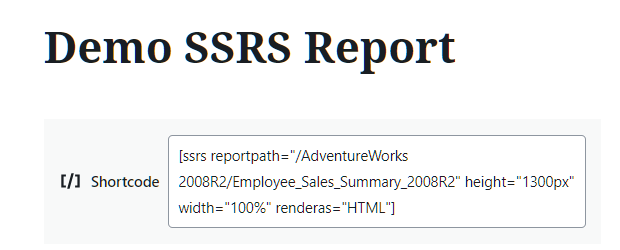
The shortcode can be used within blog entries and within pages. An example of a shortcode is shown entered in edit mode of a page below:
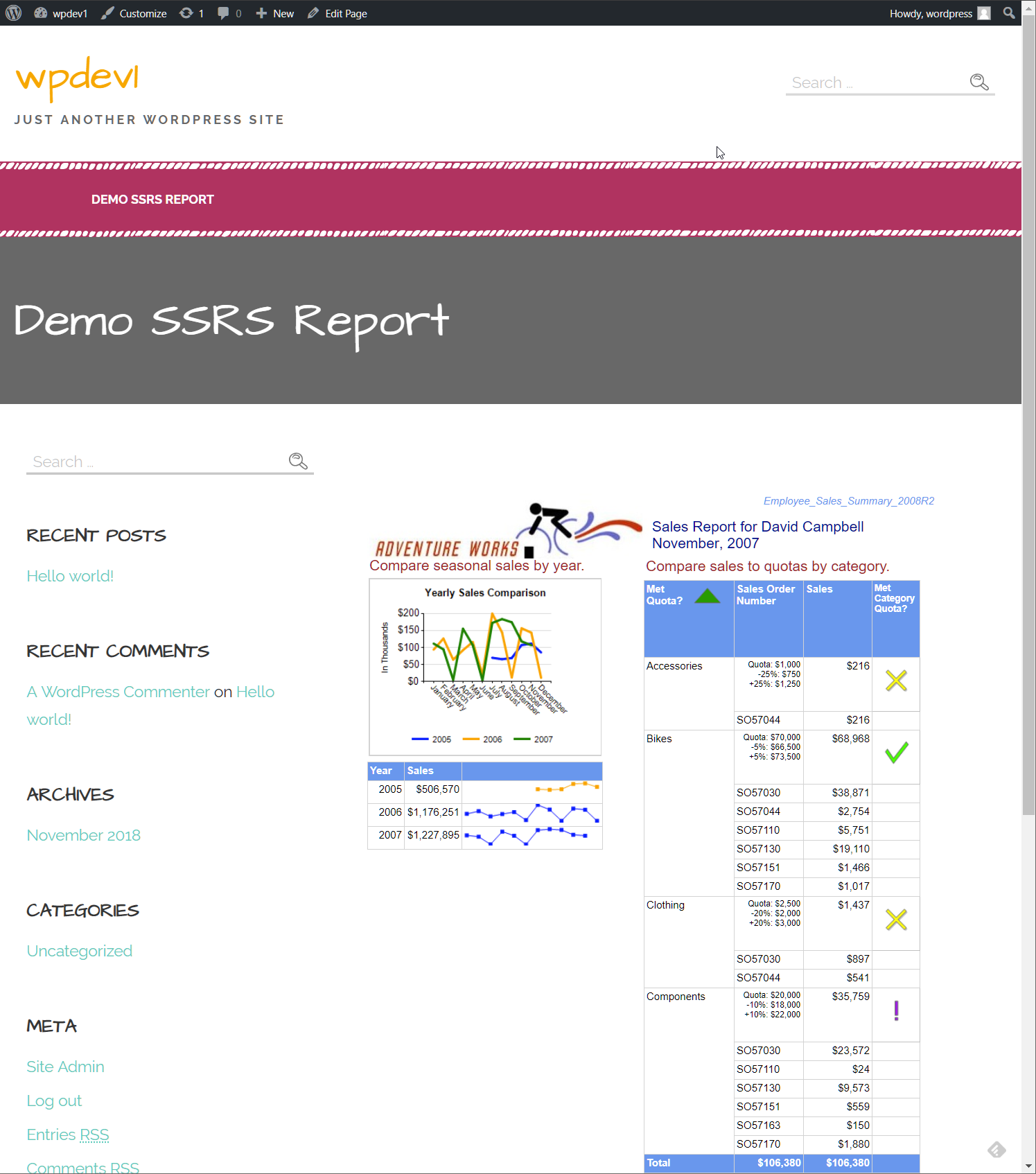
The rendered output of the above shortcode is shown when viewing the page:
Shortcode Attributes
The shortcode is entered between brackets with attributes following it with the attribute value shown in double quotes, here is an example:
[ssrs reportpath="/Folder/Report Name" renderas="HTML" width="100%" height="800px"]
Field |
Description |
reportpath |
Required in free version, Optional in professional version, no default The report path should include the folder and report name to the report that is to be entered using forward slashes (e.g. "/folder/report name"). If the reportpath is not specified, a querystring variable "reportpath" will be expected so that a report can be rendered. The free version ignores the querystring so this attribute must exist as an attribute of the shortcode. |
renderas |
Optional, default "HTML" The renderas instructs the plugin how to render the report. The acceptable values are: HTML - Default value if not specified. Shows the report output within an iframe on the page the shortcode is entered. PDF - The report will be auto exported at runtime to a PDF document. This format is only available in the professional version. WORD - The report will be auto exported at runtime to a Microsoft Word document. This format is only available in the professional version. EXCEL - The report will be auto exported at runtime to a Microsoft Excel document. This format is only available in the professional version. |
width |
Optional, default "100%" The width of the iframe the report is rendered in. Valid values are in pixels or percentage, e.g. "800px" or "100%". The theme CSS that is used will also have some impact on how things are rendered here, the display works best with themes that support a full page width for content. |
height |
Optional, default "800px" The width of the iframe the report is rendered in. Valid values are in pixels, e.g. "800px". |
parameters |
Optional, no default This attribute is only available in the professional version. It is possible to set report parameter values based on this attribute. The syntax is: parameter name=value. Multiple parameters can be separated by a semicolon. The entire parameter string should enclosed in double quotes. Here is an example shortcode entry that is setting a value for two report parameters: [ssrs reportpath="/TestReports/ParmTest" height="1200px" width="100%" renderas="HTML" parameters="ReportParameter1=this is a test;Report Parameter 2=1/2/2013;"] The parameter names are not case sensitive and should match the name entered within the RDL. Parameters are set in this attribute will override the parameters that are passed in via the querystring. |
Shortcode Errors
There are some errors that may be displayed where the shortcode is used. The following are some examples.
In the event that the reportpath attribute is not specified, the following error message will be displayed.

The upgrade message will be displayed in the free version of the plugin if options only available in the professional version are detected. For example, the renderas attribute of "HTML" is the only supported attribute value, if any other value is detected, this error will be displayed.

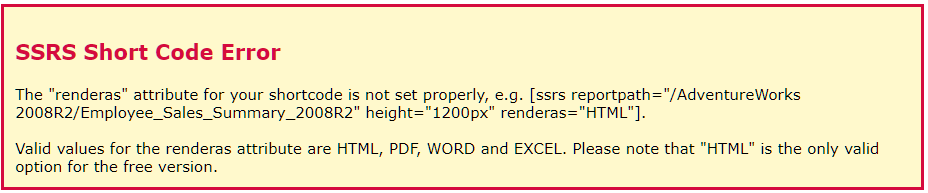
In the event an invalid renderas attribute is supplied that is not a valid value, the following error message will be displayed:
In the event that the report server is not accessible due to connectivity issues or authentication problems, the following message will be displayed.

In the event that the report path that is entered is incorrect or not accessible, the following message will be displayed.

There may be other error scenarios that are not covered here, please use the "Contact" page in the settings menu to provide as much detail as possible if you encounter any errors not discussed here.